Description
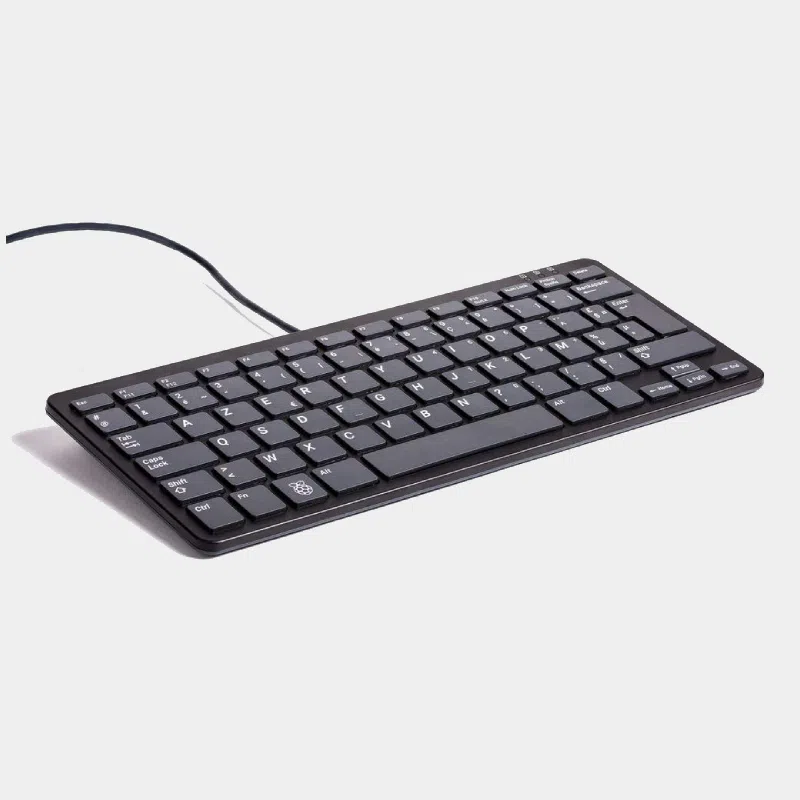
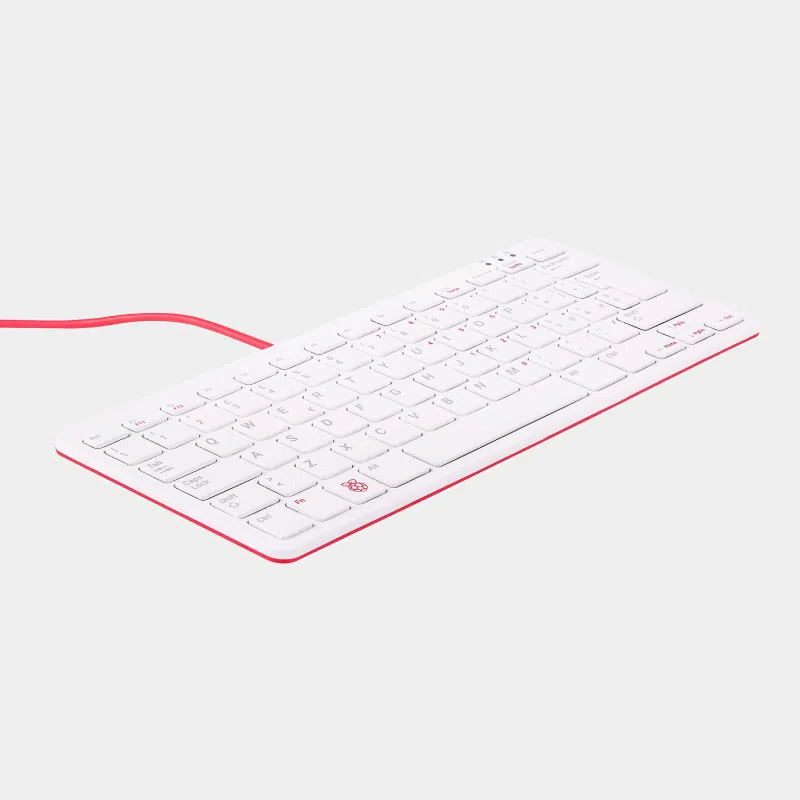
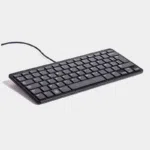
Official Raspberry Pi AZERTY keyboard with built-in USB hub
The official Raspberry Pi keyboard in French AZERTY layout has 79 keys and includes a 3-port USB 2.0 hub : plug your mouse and a USB stick directly into it and free up your board's ports. Compact and matching the official cases, it is the reference keyboard for a clean, functional Raspberry Pi setup.
Highlights
- French AZERTY : accents and symbols are right where you expect them.
- 3-port USB 2.0 Type-A hub : mouse, USB stick or small peripheral plugged into the keyboard.
- Compact 79-key format, with a numeric keypad integrated into the letter keys (red keys, via Num Lock).
- Raspberry Pi key to open the desktop menu.
- Two color schemes : red and white, or black and gray.
Technical specifications
Compatibility
- Raspberry Pi 5, 4, 3, 3 A+ : plugs directly into a USB port.
- Raspberry Pi Zero W and Zero 2 W : requires a micro-USB to USB-A OTG adapter, included in the HDMI and USB adapter kit for Raspberry Pi Zero.
- PC and Mac : it is a standard USB keyboard, so it also works with a regular computer.
Important rule : always power the Raspberry Pi with its own power supply, then connect the keyboard to the board. If the Pi is powered through the keyboard's hub, the keyboard will not work properly. Since the hub is powered by the board, reserve it for low-power peripherals (mouse, USB stick) and connect hard drives directly to the Raspberry Pi.
What else you need
- A power supply suited to your board, such as the official 27 W USB-C power supply for a Raspberry Pi 5.
- Prefer an all-in-one computer? The Raspberry Pi 500 builds the computer directly into a keyboard.
Uses and projects
Office workstation, computer for learning to code, classroom, kiosk: the official keyboard equips every Raspberry Pi setup. To find out whether a Pi is enough for everyday use, read Is the Raspberry Pi 5 enough for office work in 2026? or compare the all-in-one models in Raspberry Pi 500 vs Raspberry Pi 400.
Frequently asked questions
Is this keyboard compatible with the Raspberry Pi 3?
Yes, as with the Pi 5, 4 and 3 A+: it plugs into any USB port.
Is it a wireless keyboard?
No, it is a wired USB keyboard. Its advantage is the built-in 3-port hub, with no batteries or pairing.
Can I plug the mouse into the keyboard?
Yes, that is what the hub is designed for: mouse and USB stick plug into the keyboard.
Can the Raspberry Pi be powered through the keyboard?
No. Connect the power supply to the Raspberry Pi, never to the keyboard's hub.
Equip your Raspberry Pi with the official keyboard, an official and tested product. Shipped within 24/48 h of payment from our stock based in France, free pickup point delivery on orders of €200 or more, returns within 14 days (with return authorization) and payment by Visa, Mastercard, PayPal, Apple Pay or Google Pay.