CATEGORIES

56,40 € – 98,40 €Price range: 56,40 € through 98,40 € INCL. VAT
Business, school or public body? business account Education offers
56,40 € – 98,40 €Price range: 56,40 € through 98,40 € INCL. VAT

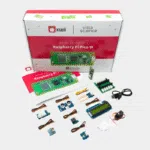
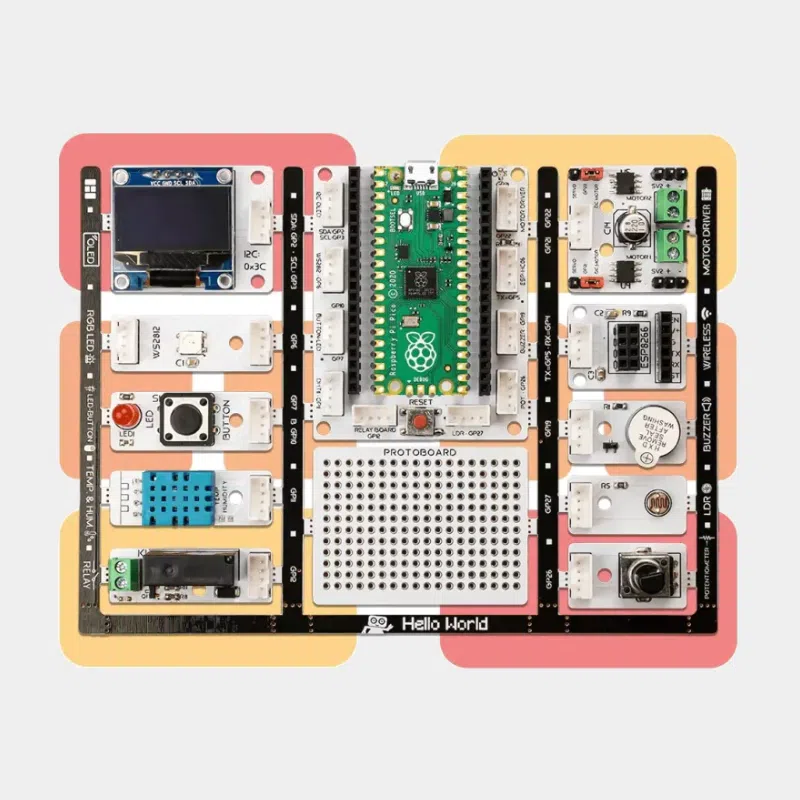
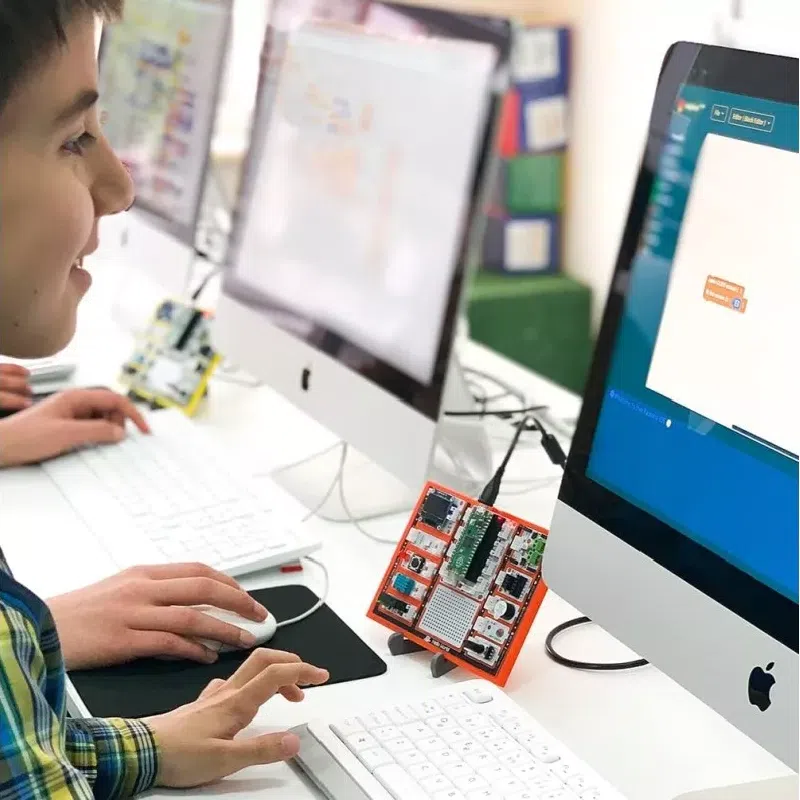
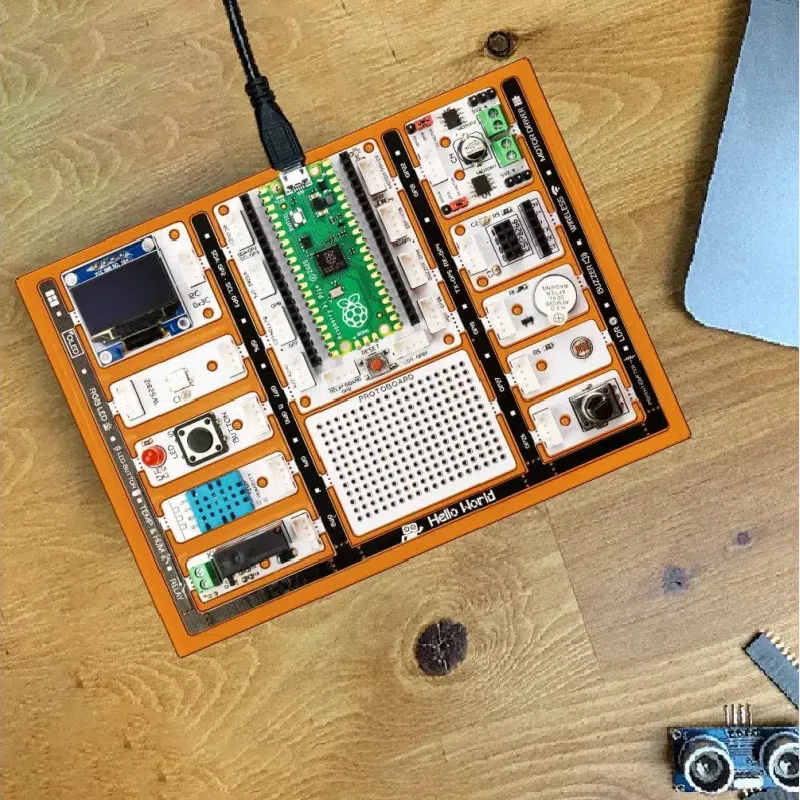
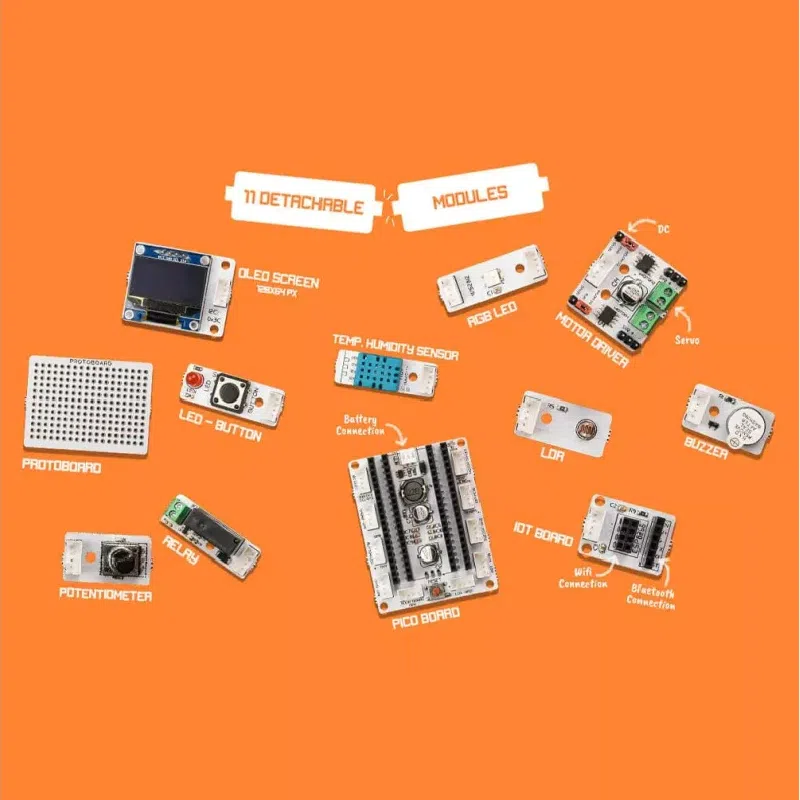
The PicoBricks kit is a learning board built around a Raspberry Pi Pico. Around the microcontroller, about ten detachable modules (OLED screen, LEDs, sensors, potentiometer, relay, motor driver…) are already connected : you can start programming right away, with no wires or soldering. Once you are comfortable, you can detach the modules and rewire them with Grove-type connectors for your own projects.
| Version | Main contents | Who is it for? |
|---|---|---|
| Basic kit | PicoBricks board with Pico and modules, micro-USB cable, battery holder, jumper cables | discovering coding and electronics |
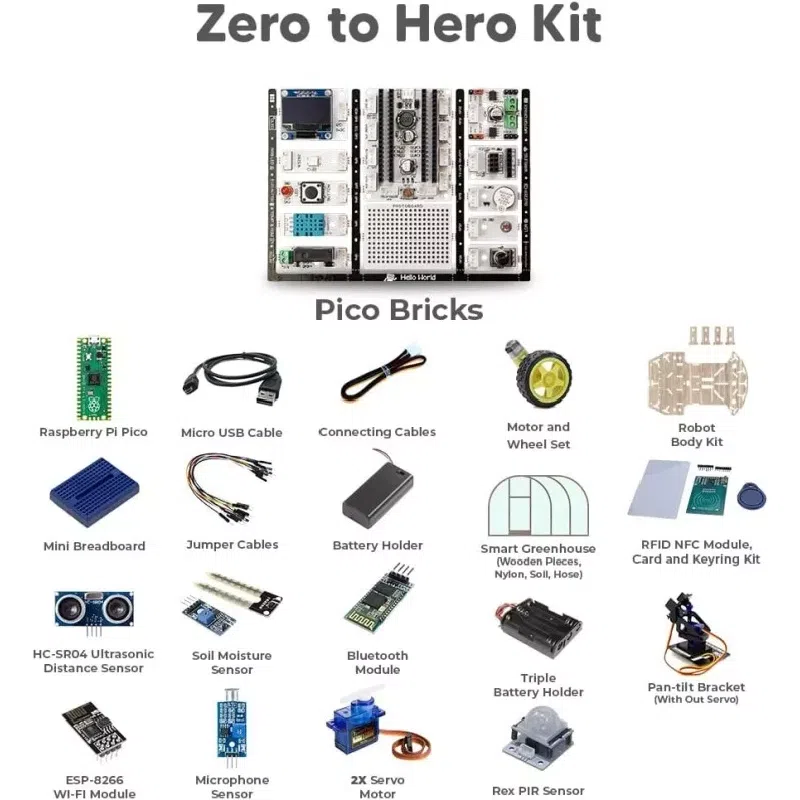
| Expert kit | base + ESP-8266 Wi-Fi module, Bluetooth, gas, PIR and soil moisture sensors, DC motor and propeller, servo motor, pump, smart greenhouse | IoT and smart home projects |
| Zero to hero kit | expert + robot chassis, microphone, RFID NFC, motor and wheel kit, pan-tilt mount | robotics and ambitious projects |
The PicoBricks e-book guides you step by step through 25 projects of increasing difficulty, each with an explanation, a wiring diagram and the program in MicroBlocks, along with a MicroPython and Arduino IDE version. Projects you can build with the base kit include a reflex game, a magic ball, a music player with adjustable speed, a thermometer, an alarm clock and a color matching game, many of which use the small OLED screen.
The board also has a prototyping area, and a mini breadboard is provided so you can add your own components. The sample programs are also published online, so you can pick up a project on another computer without retyping everything.
| Product | Approach | Who is it for? |
|---|---|---|
| PicoBricks (this product) | Pico microcontroller, detachable modules | middle school, high school, beginner makers |
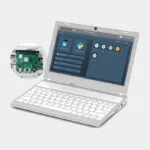
| CrowPi 3 | complete platform for Raspberry Pi 5 | learning on a real Linux computer |
| Micro:BIT Club v2 kit | micro:bit boards in bulk | whole classes, primary and middle school |
PicoBricks is the right choice for moving from blocks to real microcontroller code, with hardware you can reuse afterwards.
PicoBricks fits easily into technology classes or coding clubs. Discover our education offers and our article on why schools should invest in the Raspberry Pi.
An educational kit based on the Raspberry Pi Pico, with pre-connected, detachable electronic modules.
No, everything is already connected; detached modules can be reconnected with Grove-type cables.
MicroBlocks to get started, then MicroPython or Arduino IDE.
From middle school with MicroBlocks, earlier with an adult.
Yes, with the zero to hero kit, which adds a chassis, motors and wheels.
Once programmed, yes, on batteries; the computer is used to write and transfer the program.
Choose your PicoBricks version and start coding as soon as you open the box. Order with peace of mind: shipping within 24/48 h after payment is received from our France-based stock, official and tested products, returns possible within 14 days with a return authorization, payment by Visa, Mastercard, PayPal, Apple Pay or Google Pay, and free pickup point delivery on purchases of €200 or more.
| Version | Basic kit, Expert kit, Zero to Hero kit |
|---|