
-
-
-
 Arduino
 UNO Q
from 46,80 € INCL. VATIn stockSelect options This product has multiple variants. The options may be chosen on the product pageQuick view -

-

Arduino: UNO Q, UNO R4 WiFi and GIGA R1 WiFi
Arduino is the reference open source platform for electronics prototyping, with its IDE, its libraries and its UNO format that has become a standard for shields. Its new generation goes further: the UNO Q combines a Qualcomm processor running Linux and a real-time microcontroller on a single board.
The Arduino boards in the shop
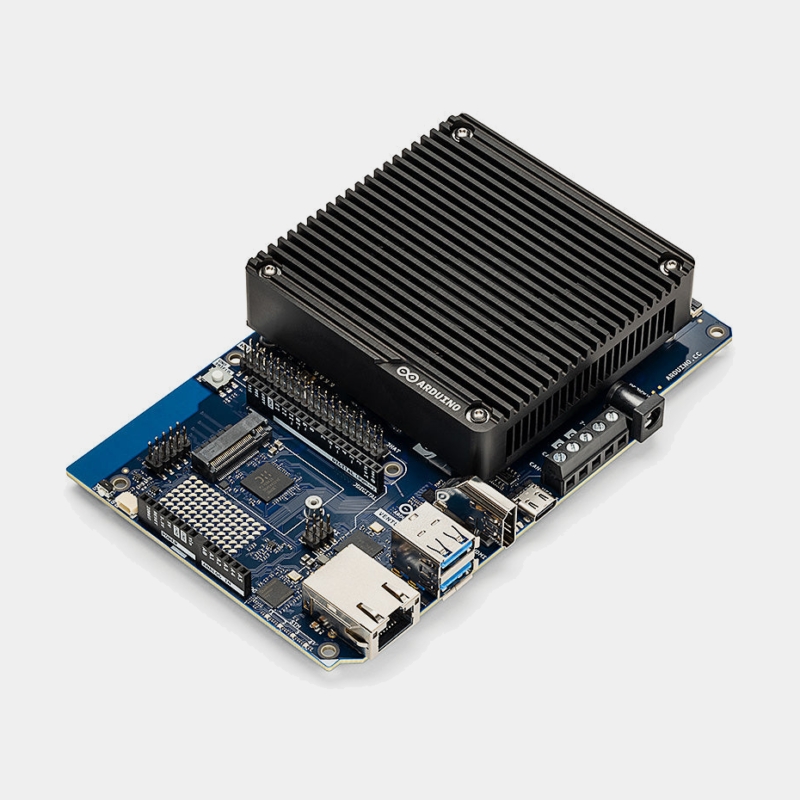
- The Arduino UNO Q combines a Qualcomm Dragonwing QRB2210 MPU (4 Cortex-A53 cores at 2.0 GHz) running Debian Linux and an STM32U585 MCU (Cortex-M33 at 160 MHz) that runs the Arduino sketches. Version sold: 2 GB of RAM and 16 GB of eMMC, dual-band Wi-Fi 5, Bluetooth 5.1 and a Qwiic connector. The Arduino App Lab environment brings Python applications, sketches and AI models together in a single workflow. Learn more in our article on the Arduino UNO Q.
- The Arduino UNO R4 WiFi keeps the UNO R3 format and its 5 V logic, with a Renesas RA4M1 microcontroller, an ESP32-S3 module for Wi-Fi and Bluetooth, and a 12 x 8 LED matrix.
- The Arduino GIGA R1 WiFi takes the Mega format with a dual-core STM32H747XI (Cortex-M7 at 480 MHz and Cortex-M4 at 240 MHz), 76 GPIO, a camera connector, an audio jack and a USB-A host port.
Compatibility and pitfalls to avoid
- 3.3 V logic : the UNO Q and the GIGA R1 run at 3.3 V. A shield designed only for 5 V may need level shifting. The UNO R4 WiFi stays at 5 V.
- UNO Q power supply : USB-C 5 V 3 A, or 7 to 24 V on VIN.
- Display and Ethernet on the UNO Q : in computer mode, you connect an HDMI display, keyboard, mouse and wired network through a USB-C dongle with power supply.
At MonRaspberry, orders are shipped within 24/48 h after payment, pickup point delivery is free from 200 € of purchases and you can pay by Visa, Mastercard, PayPal, Apple Pay or Google Pay. The products sold are official and tested, with a possible return within 14 days (with authorisation).
Arduino FAQ
Can the Arduino UNO Q be used with Home Assistant?
The UNO Q is programmed like a connected board (Wi-Fi, Linux, Python): it can send measurements to your home automation server, but it is not a Home Assistant server.
Which IDE for the UNO Q?
Arduino App Lab, the classic Arduino IDE for the microcontroller side, or the Arduino CLI.
What changed with Qualcomm's acquisition of Arduino?
We analyse it in our article on Qualcomm's acquisition of Arduino.
Arduino or micro:bit?
To get started in the classroom, the micro:bit is simpler; Arduino goes further in electronics.