Description
USB N64 controller: rediscover the Nintendo 64 feel
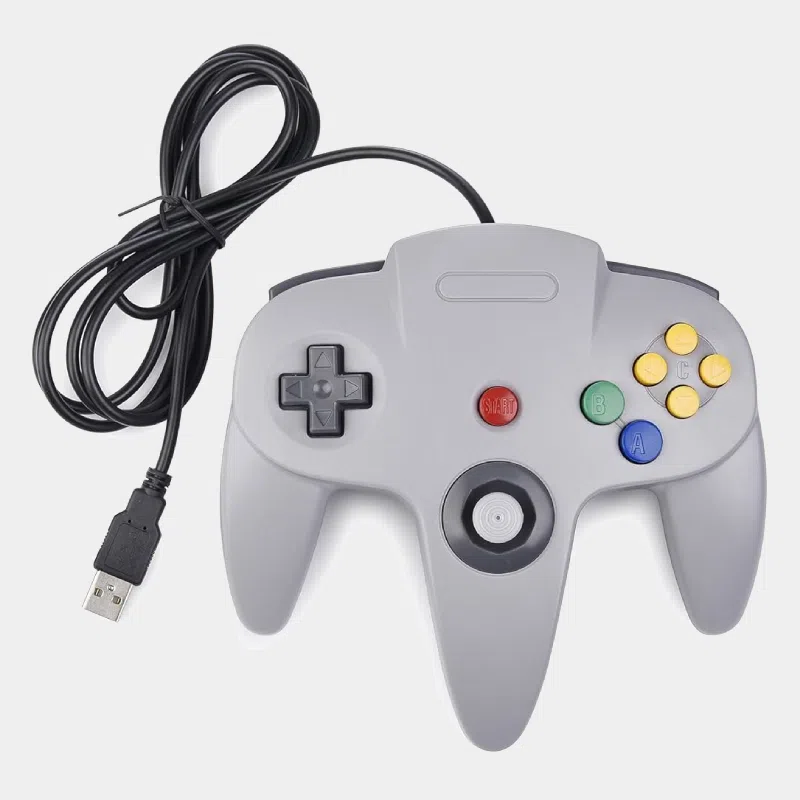
This USB N64 controller reproduces the three-handle shape and button layout of the Nintendo 64 controller, with a simple USB plug to connect it to a computer or a Raspberry Pi. It is aimed at retrogaming fans who want to replay N64 classics in emulation with the right buttons under their fingers, without using a modern controller poorly suited to the C buttons.
Highlights
- Faithful N64 layout : central analog stick, D-pad, A and B buttons, four C buttons, Z trigger on the back, L, R and Start buttons.
- Wired USB connection : no battery to recharge, no Bluetooth pairing, no wireless latency.
- 1.8 m cable to play comfortably from the couch.
- Recognized as a standard USB controller : it works with emulators and retrogaming systems, where every button can be freely remapped.
Technical specifications
Compatibility
Good to know : Nintendo 64 emulation is more demanding than that of 8-bit and 16-bit consoles. For smooth gameplay, choose a Raspberry Pi 4 or a Raspberry Pi 5. When you first plug it in, remember to configure the controller in your gaming system's menu to map the stick and C buttons correctly.
To complete your retro console
Project ideas
- Retro living-room console on a Raspberry Pi 5 connected to the TV: follow our guide install Recalbox on Raspberry Pi 5.
- Retro corner on PC : Nintendo 64 emulator with the right buttons, without convoluted remapping.
- Multiplayer evenings : plan one controller per player, each on its own USB port.
Also discover all our retrogaming kits and the article on the new Retroflag 64Pi case.
Frequently asked questions
Does this N64 controller work on Raspberry Pi?
Yes, it plugs into Raspberry Pi 3, 4 and 5 via USB and is configured in Recalbox, Batocera or RetroPie like any USB controller.
Is this an original Nintendo 64 controller?
No, it is a USB controller with a Nintendo 64 design, intended for emulation. It does not plug into an original N64 console.
Does it work on Nintendo Switch?
It is not designed for the Switch and we do not guarantee it will work on that console. It is intended for Raspberry Pi and computers.
Do I need to install a driver?
No, it is recognized as a standard USB controller; only the button mapping is set in the emulator.
Why buy from us : tested products, returns possible within 14 days with return authorization, and payment by Visa, Mastercard, PayPal, Apple Pay or Google Pay.