


8BitDo Lite SE Purple Edition
25,20 € INCL. VAT
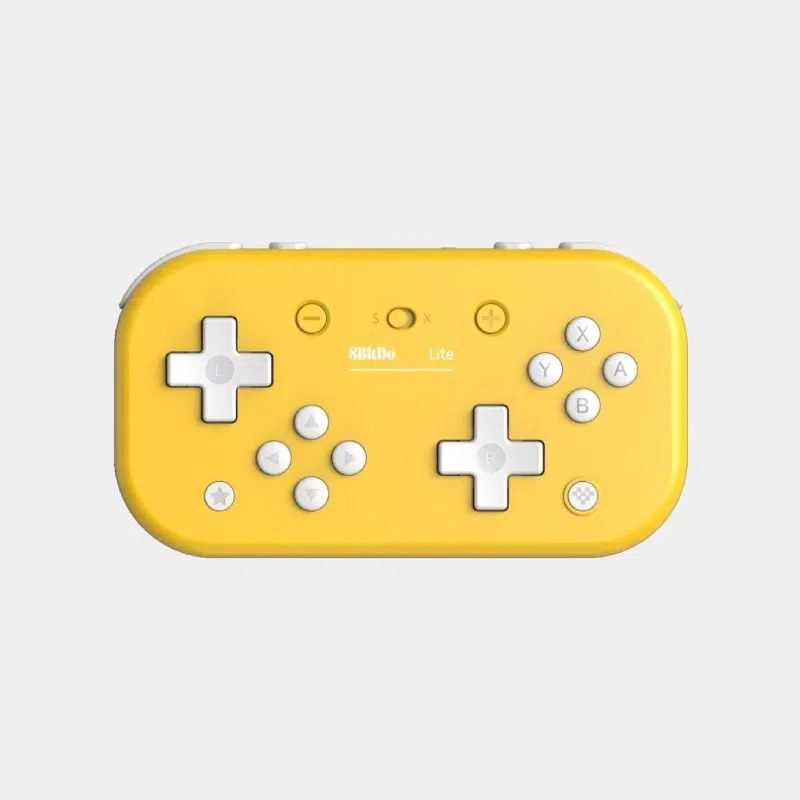
- Ultra-portable Bluetooth controller : ~80 g, compact purple design, USB Type-C included
- Multi-platform: Nintendo Switch / OLED / Lite, Raspberry Pi (RetroPie, Recalbox), Android, Windows
- Designed for accessible gaming : low-resistance buttons, dedicated L3/R3, non-slip grip
Business, school or public body? business account Education offers
8BitDo Lite SE Purple Edition
25,20 € INCL. VAT
- Description
Description
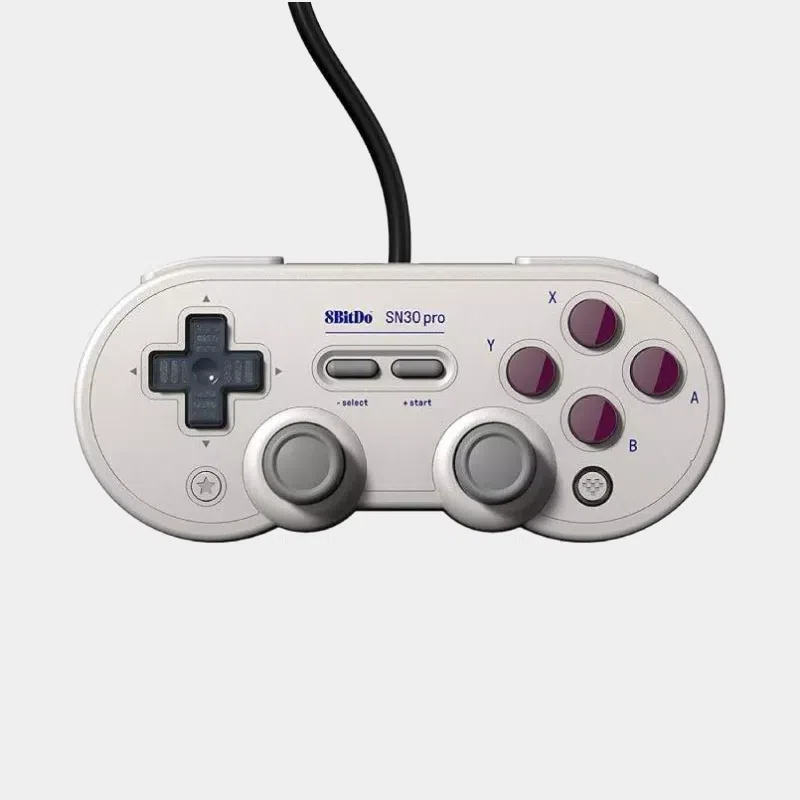
8BitDo Lite SE Purple Edition: the ultra-portable Bluetooth controller designed for accessible gaming
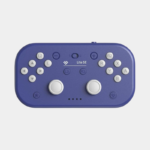
The 8BitDo Lite SE Purple Edition is a compact wireless Bluetooth controller designed by 8BitDo to deliver a comfortable, smooth and accessible gaming experience. Originally designed for gamers with reduced mobility , its design answers a request from Andreas Karlsson for his son Oskar, who has spinal muscular atrophy, and it has become one of the most popular retro gaming controllers in the Raspberry Pi community.
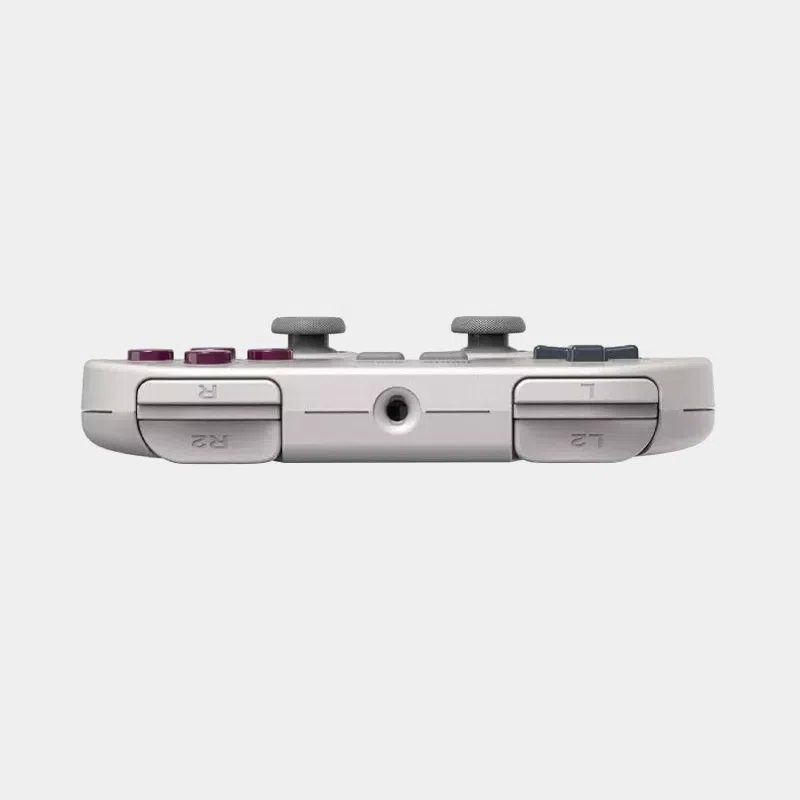
Compatible with Nintendo Switch, Switch OLED, Switch Lite, Raspberry Pi OS (RetroPie, Recalbox, Batocera, Lakka), Android and Windows, the Lite SE purple edition is ultra-portable (~80 g), stylish and high-performing: lag-free Bluetooth, sensitive sticks, low-resistance buttons, dedicated L3 / R3 triggers and a non-slip grip so you can play even with it lying flat.
Why choose the 8BitDo Lite SE?
- Designed for accessibility : low-resistance buttons, more sensitive sticks, perfect for gamers with limited motor skills
- All buttons on the front , including L3 and R3 (dedicated)
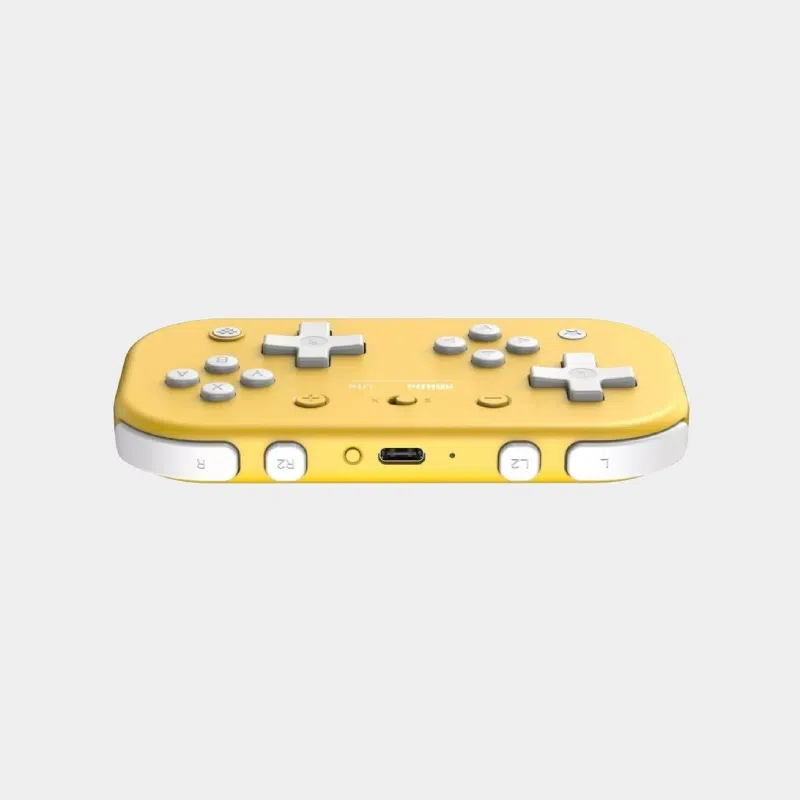
- Silicone non-slip mat on the back → play flat without slipping
- Compact and ultra-portable : ~120 × 70 mm, ~80 g, max thickness 26.35 mm
- Lag-free Bluetooth connectivity + USB Type-C cable included for charging
- Modes Switch, Rumble, Motion and Turbo
- Compatible Nintendo Switch / OLED / Lite, Android, Raspberry Pi, Windows
- Edition purple : matches the turquoise and coral Switch Lite
Technical specifications
- Brand: 8BitDo
- Model: Lite SE - Purple Edition
- Type: wireless Bluetooth controller + wired USB-C
- Compatibility :
- Nintendo Switch, Switch OLED, Switch Lite
- Raspberry Pi OS (RetroPie, Recalbox, Batocera, Lakka)
- Android (smartphones and tablets)
- Windows 10 / 11 (Direct Input mode)
- Connectivity : Lag-free Bluetooth + USB Type-C cable
- Sticks: 2 sensitive analog mini joysticks + dedicated L3 / R3
- D-Pad: Classic D-pad
- Buttons: A, B, X, Y, L1/R1, L2/R2, L3/R3, Home, Capture, +, -, mode switch
- Modes: Switch, Rumble, Motion, Turbo
- Mode switch: S (Switch) / D (Direct Input: PC, Raspberry Pi, Android)
- Grip: non-slip silicone film on the back
- Dimensions : approx. 120 × 70 × 26.35 mm
- Weight : ~80 g
- Color : purple (Purple Edition)
- Charging: USB Type-C port, cable included
A controller designed for inclusive gaming
The main goal of the 8BitDo Lite SE was to design a controller accessible to gamers with reduced mobility, fine motor impairments or a physical disability. Every element was rethought with this in mind:
- Visit buttons require less force to press
- Visit joysticks are more sensitive, requiring less range of motion
- The non-slip underside lets you play without holding the controller
- L3 and R3 have dedicated buttons on the front, no more pressing down on a stick
- All controls are directly accessible without repositioning
Recognized by associations such as APF France handicap, the Lite SE has become a benchmark for accessible gaming.
Multi-platform compatibility in detail
🎮 On Nintendo Switch / OLED / Lite
Set the switch to “S”, turn on the controller with the Home button, then pair it via the Switch’s Bluetooth menu. Compatible with TV, tabletop and handheld modes.
🍓 On Raspberry Pi (RetroPie, Recalbox, Batocera, Lakka)
Switch to “D” mode (Direct Input) and pair via Bluetooth from your retro gaming distribution. Ideal for emulating retro 2D consoles (NES, SNES, Mega Drive, Game Boy, GBA, PSX, etc.).
🪟 On Windows 10 / 11
“D” mode, standard pairing from “Bluetooth & devices”. The controller appears as “8BitDo Lite SE”. Compatible with Steam, emulators, and remapping software such as JoyToKey.
📱 On Android
“D” mode, standard Bluetooth pairing. Ideal for emulated retro games on smartphone / tablet and cloud gaming.
Use cases
- Retro gaming on Raspberry Pi with RetroPie, Recalbox, Batocera, Lakka
- On-the-go gaming on Nintendo Switch Lite : compact format
- 2D / classic emulation : NES, SNES, Mega Drive, Game Boy, GBA, PSX, Neo Geo
- Accessible gaming for people with physical disabilities
- Cloud gaming on Android (GeForce Now, Xbox Cloud, etc.)
- Steam / PC : indie games, platformers, retro games
- Geek gift : polished design in a collector purple edition
Box contents
- 1x 8BitDo Lite SE Purple Edition controller
- 1x USB Type-C charging cable
- 1x User manual
Frequently asked questions (FAQ)
Is the 8BitDo Lite SE compatible with Raspberry Pi?
Yes, perfectly. It pairs via Bluetooth on Raspberry Pi OS, RetroPie, Recalbox, Batocera and Lakka. Simply set the switch to “D” (Direct Input) before pairing.
Does it work with the Nintendo Switch Lite?
Yes, in Bluetooth mode (switch set to “S”). It is even one of its favorite use cases thanks to its compact format matching the Switch Lite console.
Is it compatible with Xbox or PlayStation?
No. The 8BitDo Lite SE is not compatible with Xbox or PlayStation consoles. It targets Switch, PC, Android and Raspberry Pi.
What is the battery life?
The Lite SE offers excellent battery life on a full charge, enough for long gaming sessions. Charging is via USB Type-C.
Does the controller have vibration and a gyroscope?
Yes. It offers the following modes: Rumble (vibration), Motion (gyroscope) and Turbo, ideal on Switch and advanced emulators.
Is it suitable for people with reduced mobility?
Yes, that is actually its original design goal. Low-resistance buttons, sensitive sticks, the ability to play with it lying flat without holding it, dedicated L3/R3: it is one of the most accessible controllers on the market.
Is a dongle needed for Windows?
No, pairing is direct via the native Bluetooth of Windows 10/11 (Direct Input mode). You can also connect it by wire via USB-C if needed.