

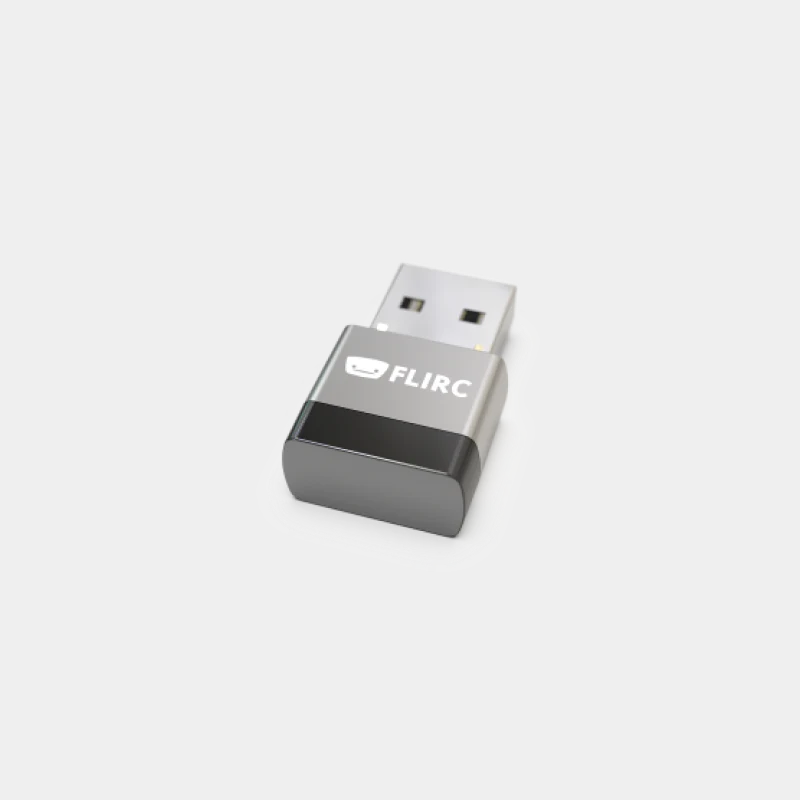


Flirc: USB IR receiver and cases for Raspberry Pi
Flirc is a small company from Silicon Valley in Northern California, founded by a couple tired of controlling their media center with a wireless keyboard. Their idea: simply use the television's remote control. The Flirc USB receiver was born from this need, followed by a range of cases for Raspberry Pi much appreciated for their finish and silent cooling.
 FLIRC USB - Universal infrared receiver |  Flirc Raspberry Pi 5 enclosure |  Flirc enclosure for Raspberry Pi 4 |  Flirc Raspberry Pi Zero enclosure |
Two families of Flirc products are offered here: the Flirc USB infrared receiver and the passive aluminium cases for Raspberry Pi 5, Raspberry Pi 4 and Raspberry Pi Zero.
The Flirc USB receiver: your remote control becomes a keyboard
The Flirc USB, universal infrared receiver plugs into a USB port and presents itself as a standard keyboard (HID). With the Flirc software, available for Windows, macOS and Linux with a graphical interface or on the command line, you map each button of your remote control to a keyboard key. The configuration is stored in the stick itself: once programmed, it works on any machine, with no driver or software to install.
- Ideal for Kodi : on a Raspberry Pi running LibreELEC or OSMC, the remote control buttons directly control the interface.
- All infrared remotes : the one from the television, the set-top box or a universal model, on the 38 kHz carrier frequency.
- No daemon to configure on Linux: no LIRC, the system sees a keyboard.
How do I program the Flirc USB?
Plug the stick into a computer, launch the Flirc software and choose a command profile (for example the Kodi profile or a full keyboard). Then click each key on the screen, and press the corresponding button on your remote control: the mapping is saved immediately in the stick's memory. You then simply move it to the Raspberry Pi or the living room PC. To change a key later, plug it back into the computer and start again.
Flirc cases for Raspberry Pi
Flirc cases are built on an aluminium core that acts as a heatsink, connected to the processor by a thermal pad, and on soft-touch shells. The result: entirely passive cooling, therefore perfectly silent, ideal for a media center under the television.
- Flirc Raspberry Pi 5 enclosure : 93 x 66 x 28 mm, access to the power button and the LEDs of the Raspberry Pi 5, GPIO accessible through the bottom plate. Thermal pad, 4 screws and rubber feet supplied.
- Flirc enclosure for Raspberry Pi 4 : same design, GPIO through a slot underneath and microSD card accessible without opening, for the Raspberry Pi 4.
- Flirc Raspberry Pi Zero enclosure : aluminium with built-in heatsink and two lids (closed or GPIO access), for Raspberry Pi Zero W or Zero 2 W. A lanyard is supplied.
Which Flirc product for which use?
| An | Flirc product | Power supply required | Key strength |
|---|---|---|---|
| Modern 4K media center | Flirc Pi 5 case and Flirc USB | USB-C 27 W | Total silence, television remote control |
| Media center on Pi 4 | Flirc Pi 4 case and Flirc USB | USB-C 5 V 3 A | Accessible microSD, understated look |
| Small server or discreet sensor | Flirc Zero case | micro-USB 5 V 2.5 A | Compact, built-in heatsink |
| Windows or Mac living room PC | Flirc USB | No | Setting stored in the stick |
Compatibility and pitfalls to know about
- Infrared only : the Flirc USB does not pick up Bluetooth or radio remote controls.
- Raspberry Pi Zero : the Zero only has one micro-USB OTG port. An adapter is needed, such as the one in the HDMI and USB adapter kit for Raspberry Pi Zero.
- Passive cooling : there is no room for a fan in the Flirc Pi 4 and Pi 5 cases, and no HAT can be mounted with the case closed. For a Pi 5 under heavy continuous load, a ventilated case remains more suitable.
- Zero case : the microSD card is enclosed, you have to dismantle the case to remove it. On the Zero 2 W, the original thermal pad can turn out to be a little thick.
- Pi 5 power supply : Raspberry Pi recommends theOfficial 27 W USB-C power supply.


Going further
Are you torn between two cases for the Pi 5? Our Flirc 5 vs Argon NEO 5 comparison compares temperature, noise and port access; the Argon40 are the ventilated alternative. For a turnkey living room setup, discover our media center kits and our article on Kodi, Plex and Jellyfin media kits.
Frequently asked questions about Flirc
What is the Flirc USB?
A USB infrared receiver that translates the signals of any IR remote control into keystrokes. The computer sees it as an ordinary keyboard.
Does the Flirc USB work with the Raspberry Pi 5 and the Raspberry Pi 4?
Yes, it plugs into any USB port. Program it once from a computer, then use it with Kodi, LibreELEC or OSMC.
Do I need to install software on the Raspberry Pi?
No. The Flirc software is only used for the initial programming; after that, the stick works on its own.
Does the Flirc Pi 5 case have an on/off button?
It gives access to the power button built into the Raspberry Pi 5 and to its LEDs. The button belongs to the board, not to the case.
Is the Flirc case enough to cool a Raspberry Pi 5?
For media center use, browsing or a light server, passive aluminium cooling is adequate. For prolonged heavy computing, a ventilated case is more suitable.
Does the Flirc Pi 4 case fit the Pi 5?
No, each case is designed for its board: take the Pi 5 model for a Raspberry Pi 5.
Equip your media center with the Flirc products in the grid above: official, tested products, shipped within 24/48 h after receipt of payment from our stock in France.