Description
Banana Pi SFP-10G-T: a 10 Gbit/s RJ45 port for BPI-R4 and R4 Pro
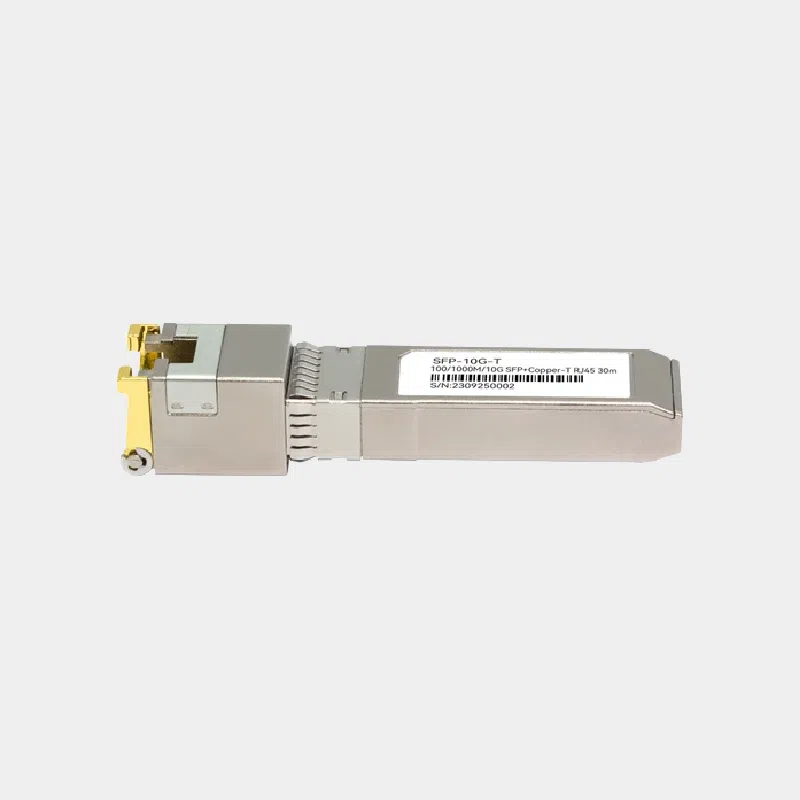
The Banana Pi SFP-10G-T turns an SFP+ cage into a 10 Gbit/s copper RJ45 port. On the BPI-R4, whose two SFP+ cages only speak 10G, it is the solution for connecting a standard network cable to a switch, a NAS or a PC fitted with a 10GBASE-T card. It is based on the Aquantia AQR113C, a PHY automatically recognised by the kernel in the Banana Pi images.
Highlights
- 10 Gbit/s over copper cable : no need for fibre or optical transceivers for short links.
- Tested by Banana Pi on the BPI-R4 and the BPI-R4 Pro (module included in the list of modules supported by the kernel).
- Multi-speed PHY : the AQR113C supports 100 Mbit/s, 1, 2.5, 5 and 10 Gbit/s modes.
- Range of about 30 m, enough for a rack, an office or a technical room.
Technical specifications
Which one should you choose?
Copper is the simplest option up to around thirty metres; beyond that, between two buildings or to limit heat, switch to BX20 fibre.
Compatibility and pitfalls to avoid
- BPI-R4 and R4 Pro only : the SFP cages of the BPI-R3 are fixed at 2.5 Gbit/s and do not accept this module.
- Do not hot-unplug it : on the BPI-R4, pulling out this module once inserted causes the board to reboot. Power off before removing it.
- Heat : it can reach 90 °C during prolonged use without cooling. Ventilate the case and beware of burns.
- Combo ports on the R4 Pro : on the 8X, inserting a module into the SFP+ cage disables the associated 10G RJ45.
- Cabling : aim for Cat 6A for the longest 10G links; Cat 6 is suitable for short patch cords.
- No Raspberry Pi has an SFP cage: this module cannot be plugged into one.
Step-by-step installation
- Power off the board, then insert the module into the chosen SFP+ cage (WAN or LAN) until it clicks.
- Connect the RJ45 cable to your 10G switch or NAS, then power on the board.
- At boot, the kernel identifies the SFP-10G-T module and its AQR113C PHY; the link appears on the corresponding interface.
- Check the negotiated speed with the ethtool command or in the OpenWrt interface, then monitor the temperature during the first long transfers.
For production use, plan the case ventilation from the outset: it is the main cause of instability with 10G copper modules.
Recommended accessories
- Metal case for BPI-R4 : protects the board; combine it with a fan-cooled heatsink.
- CAT6 RJ45 Ethernet cable: for short links between the router and the switch.
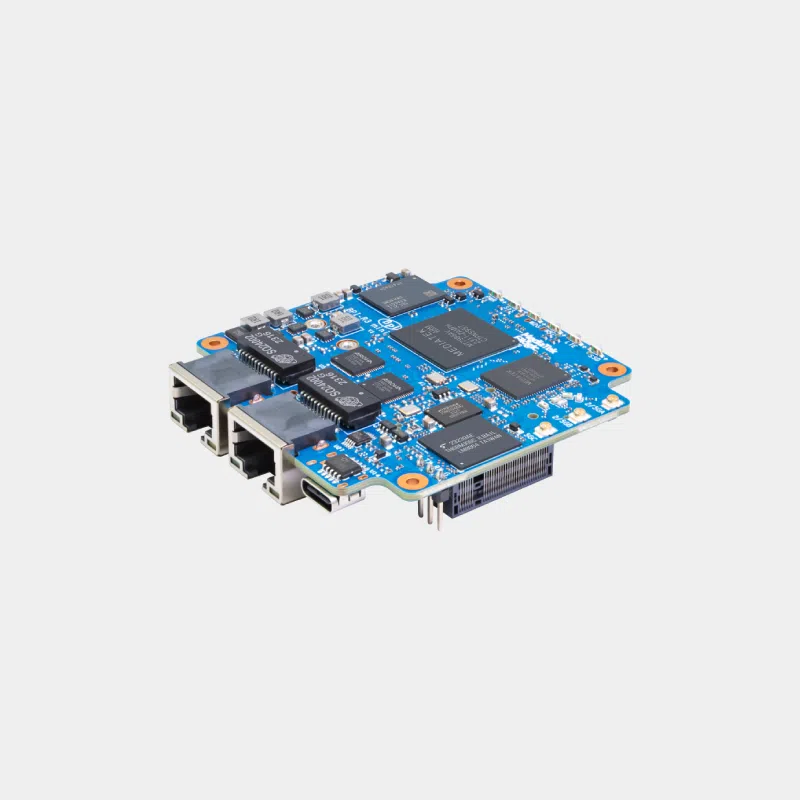
- Banana Pi BPI-R4 Pro : router with two 10G SFP+ cages and four 2.5G ports.
Uses and projects
Frequently asked questions
Is there an SFP port on Raspberry Pi?
No, no Raspberry Pi has an SFP cage. For open source 10G SFP+, the Banana Pi BPI-R4 and R4 Pro routers are the solution.
Does this module work on the BPI-R3?
No. The R3 only accepts 2500Base-X modules; choose the 2.5G copper module designed for it.
Can it connect to 1 Gbit/s equipment?
The PHY announces speeds from 100 Mbit/s to 10 Gbit/s, but the BPI-R4 is fixed at 10G on the cage side: test with your software version before relying on a lower speed.
Why does my BPI-R4 reboot when I remove the module?
This is a behaviour documented by Banana Pi for this module: power off the board before removing it.
Does it get very hot?
Yes, up to 90 °C without cooling according to Banana Pi. Good ventilation is essential.
See all Banana Pi accessories; on monraspberry.com, this module is an official, tested product, with returns within 14 days with return authorization, free pickup point delivery on orders of €200 or more and payment by Visa, Mastercard, PayPal, Apple Pay or Google Pay.