Description
NOOBS Raspberry Pi: the official microSD card to get started, and what you need to know
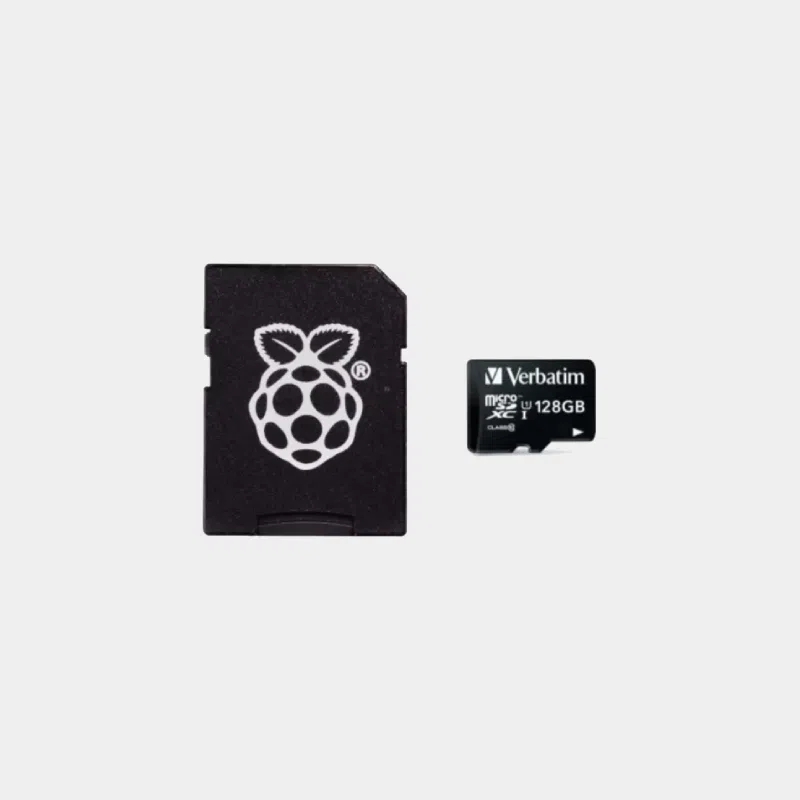
This official NOOBS Raspberry Pi microSD card is sold preloaded to get a Raspberry Pi up and running quickly. It historically came with the NOOBS tool (New Out Of Box Software), which let you choose your operating system at first boot. Important : NOOBS is no longer developed by Raspberry Pi, which now recommends Raspberry Pi Imager, and it never supported the Raspberry Pi 5. Here is how to make the most of this card depending on your model.
Highlights
- Immediate startup on models supported by NOOBS: insert, power on, choose your system.
- Rewritable : with Raspberry Pi Imager, the card takes the latest version of Raspberry Pi OS or another system in just a few minutes.
- SD adapter included to connect it to a computer or card reader.
- Several capacities to choose from depending on your projects.
Features
Which card to choose?
For a Raspberry Pi 5, choose a card that you flash directly with Raspberry Pi Imager. For a Raspberry Pi 4 or Pi 3, this card lets you boot without a computer.
Compatibility and pitfalls
- Raspberry Pi 5 and Pi 500 : NOOBS does not boot on these models. Reformat the card with Raspberry Pi Imager before first use.
- NOOBS is no longer updated : the systems offered may be outdated. Update the system after installation, or flash a recent image directly.
- Capacity : 32 GB or more is recommended for Raspberry Pi OS with desktop and your applications.
- Pi Zero : you will need a mini-HDMI and USB OTG adapter for installation with a screen.
Install Raspberry Pi OS with Imager in three steps
- Insert the card into your computer using the SD adapter or a USB reader.
- Launch Raspberry Pi Imager, choose your Raspberry Pi model, the operating system and then the card.
- Customize username, Wi-Fi and SSH, write the card, then insert it into the Pi.
Recommended accessories
- USB 3.0 SD/TF card reader : to reflash the card with Raspberry Pi Imager from your computer.
- HDMI and USB adapter kit for Pi Zero: for installation on a Pi Zero.
Useful guides
Follow our tutorial comment flasher un Raspberry Pi et le mettre à jour and our guide choosing the right microSD card for Raspberry Pi. Need lots of ready-to-use cards? Discover our microSD card duplication and flashing service.
Frequently asked questions
What is NOOBS?
NOOBS was Raspberry Pi's installation tool: it let you choose a system at first boot. It has been replaced by Raspberry Pi Imager.
Does NOOBS work on the Raspberry Pi 5?
No. On a Pi 5, reflash the card with Raspberry Pi Imager.
Where can I find a NOOBS image?
Raspberry Pi no longer develops it; we recommend using Raspberry Pi Imager, which always downloads the latest version of Raspberry Pi OS.
Can the card be reused for another system?
Yes, it can be freely reformatted and reflashed with Raspberry Pi Imager.
Which capacity should I choose?
32 GB for everyday use, 64 or 128 GB for multimedia or data.
Is the SD adapter included?
Yes, an SD adapter comes with the card.
Commander sur MonRaspberry
Une carte prête à l’emploi pour vos Raspberry Pi 4, Pi 3 et Zero, facile à reprogrammer pour un Pi 5. Commandez l’esprit tranquille : expédition sous 24/48 h après réception du paiement depuis notre stock basé en France, produits officiels et testés, retour possible sous 14 jours avec autorisation de retour, paiement par Visa, Mastercard, PayPal, Apple Pay ou Google Pay, et livraison en point relais offerte dès 200 € d’achats.