

WaveShare
Waveshare PoE HATs, NVMe adapters, 4G/5G and CM4/CM5 boards for Raspberry Pi
-
 Accessories Raspberry Pi Compute Module
Gigabit Ethernet network card for CM4
34,90 € INCL. VATIn stock -
 Accessories Raspberry Pi Compute Module
IO Board for Raspberry Pi Compute Module 5 with PoE
34,50 € INCL. VATIn stock
Waveshare: PoE HAT, NVMe storage and 4G for Raspberry Pi
Waveshare designs a very broad catalog of electronics around the Raspberry Pi, but also ESP32, NVIDIA Jetson or Luckfox boards: LCD, OLED and e-Paper displays, cameras, HATs, IoT modules and accessories. With us, the brand mainly answers three needs of the Raspberry Pi 5: powering it over the network cable (PoE), adding NVMe or SATA storage and connecting it over 4G or 5G. A few boards for Compute Module and Raspberry Pi 400 are added to that.
Powering a Raspberry Pi 5 over PoE
Two Waveshare HATs turn the Ethernet cable into a power supply, provided you have an IEEE 802.3af/at PoE switch or injector:
- The PoE+ HAT compatible with the official case (PoE HAT (J)) supplies 5 V up to 5 A through the GPIO, without a fan, and fits inside the official Pi 5 case. It also suits the Compute Module 5, not the Pi 4, whose PoE connector is different.
- The HAT PoE for Raspberry Pi 5 (PoE HAT (F)) includes a heatsink and a fan, adds an auxiliary 12 V 2 A output and delivers 25 W in total. It replaces the Active Cooler and is not intended for the official case.
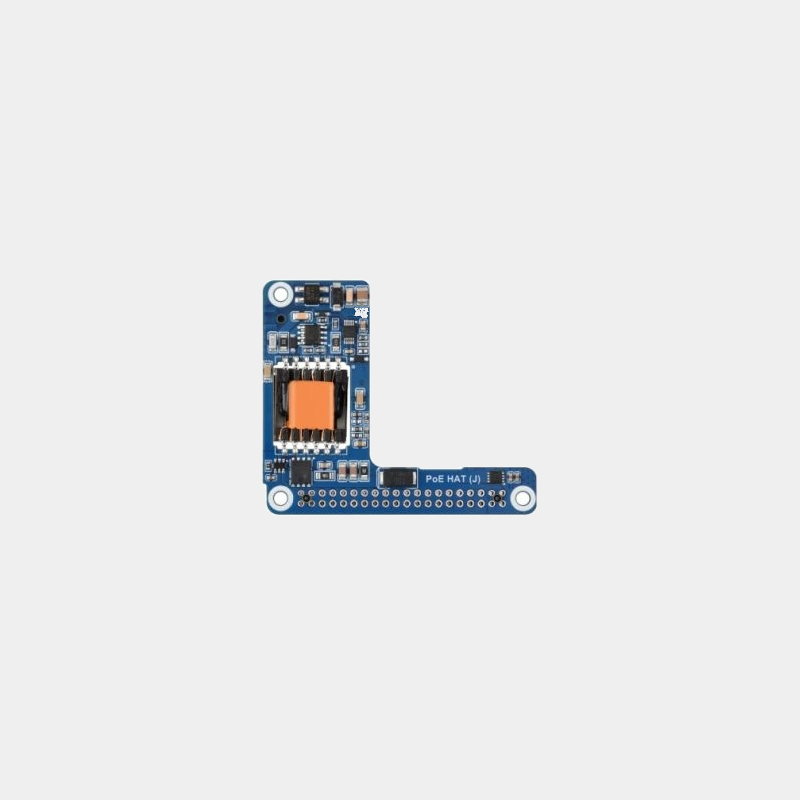 PoE+ HAT for Raspberry Pi 5, compatible with the official case17,30 € INCL. VATIn stockIn stockAdd to cart

NVMe and SATA storage via the PCIe port
The Pi 5 has a single PCIe connector, officially Gen 2 (5 Gb/s). Waveshare uses it with several boards connected by a 16-pin FFC ribbon:
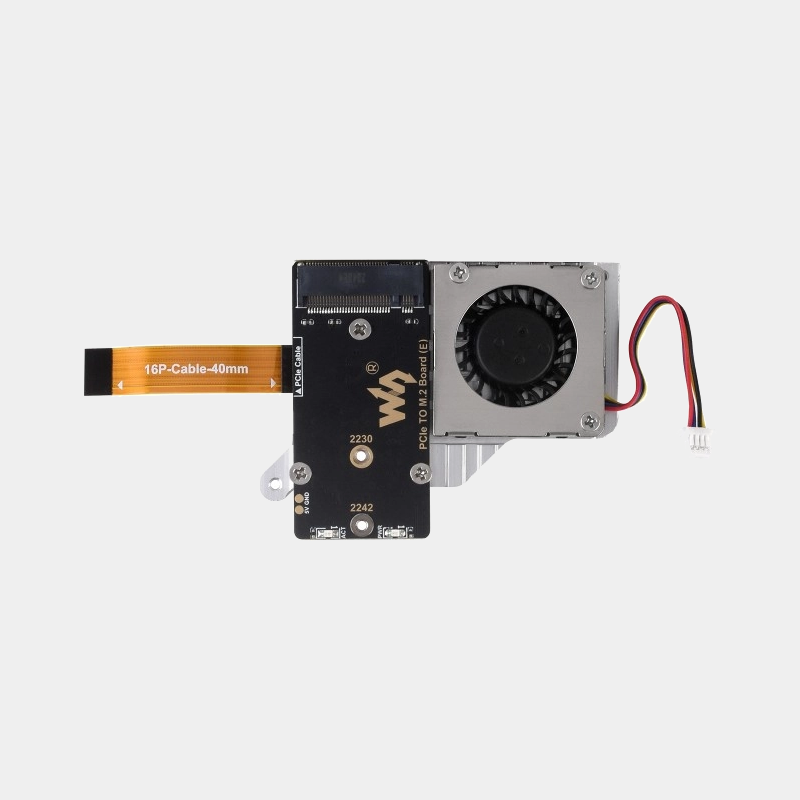
- PCIe to M.2 board with fan : a 2230 or 2242 NVMe SSD cooled by a blower plugged into the Pi 5's fan connector, so without an Active Cooler alongside.
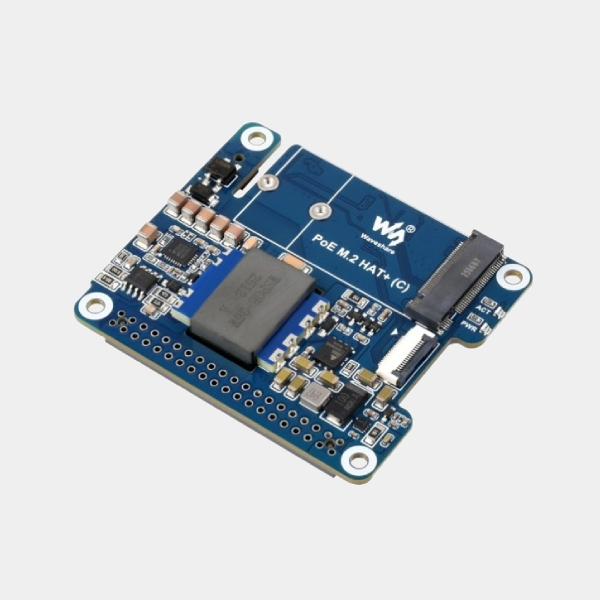
- PCIe to M.2 adapter with PoE : M-key 2230 or 2242 NVMe SSD, PoE 802.3af/at, fan and auxiliary 5 V and 12 V outputs, all on a single board. No official Active Cooler with it.
- PCIe to dual M.2 HAT+ : two SSDs via an ASM1182e switch, shared Gen 2 bandwidth. Standard version in 2230/2242, 2260/2280 formats reserved for the (B) version.
- 4-slot PCIe M.2 expansion : up to four SSDs from 2230 to 2280 via an ASM1184e switch, powered by 7 to 24 V DC and able to power the Pi 5.
- PCIe to SATA 2-channel HAT : two SATA 3.0 ports for 2.5 or 3.5-inch drives, driver-free on a recent Raspberry Pi OS; 3.5-inch drives require an external 12 V power supply.
On the drive side, the WaveShare M.2 2242 NVMe SSD (256 or 512 GB) installs on any adapter accepting the 2242 format; its throughput remains limited by the Pi 5's PCIe x1 link. Our guide how to choose an NVMe SSD for Raspberry Pi 5 details formats and performance.


4G, 5G and networking
Visit PCIe to M.2 4G/5G and USB 3.2 expansion board takes an M.2 B-key 3042 or 3052 cellular module (not supplied) and a nano-SIM, and adds three USB 3.2 Gen 1 ports; a 5G PCB antenna is included. For a Pi Zero or Zero W, the LTE Cat-4 HAT with GNSS (SIM7600G-H modem) connects over USB via pogo pins and provides 4G up to 150 Mb/s, GPS positioning, SMS and calls.
 PCIe to M.2 4G/5G and USB 3.2 expansion card for Raspberry Pi 534,00 € INCL. VATIn stockIn stockAdd to cart
 Waveshare SIM7600G-H 4G HAT (B) for Raspberry Pi Zero: LTE Cat-4, 3G, 2G and GNSS77,75 € INCL. VATIn stockIn stockAdd to cart
Compute Module and Raspberry Pi 400
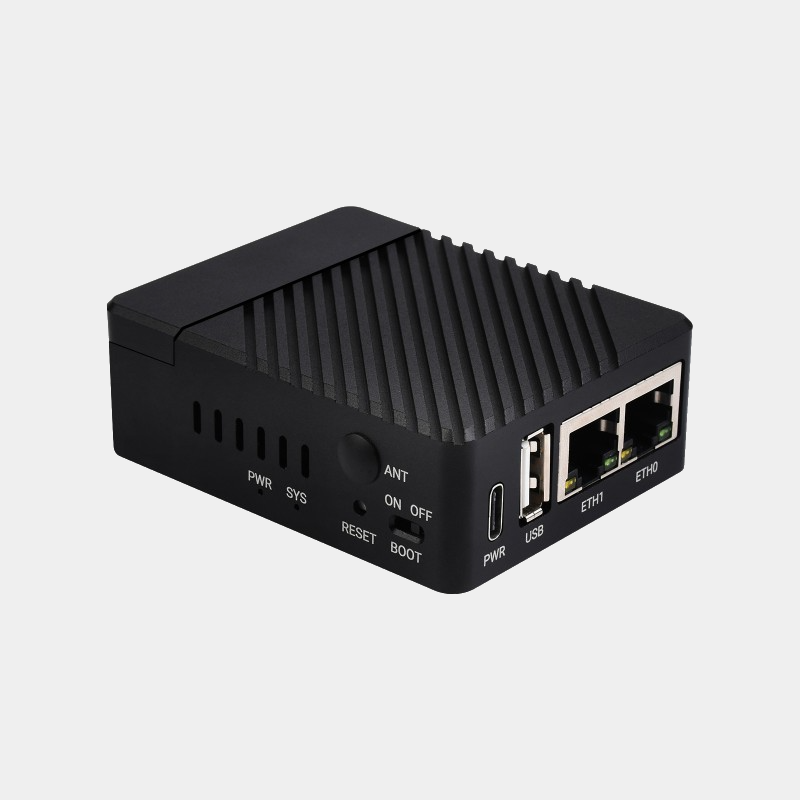
TheIO Board for Compute Module 5 with PoE exposes two HDMI 2.0, Gigabit Ethernet, two USB 3, an M.2 M-key slot, two camera or display connectors and the GPIO; note that PoE goes through a PoE+ HAT+ that is not built into the board. The Mini Dual Gigabit Ethernet base for CM4, sold alone or in a kit with a metal case and power supply, offers two Gigabit RJ45 ports for a router or a firewall, but no HDMI or M.2 slot. Finally, the dual GPIO expansion board for Raspberry Pi 400 lets you connect two HATs to the Pi 400.
Frequently asked questions
Does the Waveshare SSD work on a Raspberry Pi 4?
Not directly: the Pi 4 has no PCIe port. A USB SSD enclosure is then needed. On Pi 5, the SSD installs on an M.2 HAT accepting the 2242 format.
Can the Raspberry Pi 5 boot from a Waveshare SSD?
Yes, with the brand's M.2 NVMe adapters. According to Waveshare documentation, NVMe boot requires a bootloader setting.
Which Waveshare PoE HAT for the official Pi 5 case?
The PoE+ HAT (J), without a fan, designed for this case. The PoE HAT (F), which has its own fan, is used outside the official case.
Do Waveshare M.2 boards run at PCIe Gen 3?
The Pi 5 is officially Gen 2. The M.2 board with fan and the M.2 PoE adapter allow Gen 3 to be enabled in unofficial mode; switch boards (dual M.2, 4 slots) stay at Gen 2 and share the bandwidth.