Ollama Local AI Kit: private LLM server Raspberry Pi 5 16 GB + NVMe 512 GB
777,00 € INCL. VAT
- Private LLM on Raspberry Pi 5 16GB + 512 GB NVMe - Ollama + Open WebUI preinstalled
- 2 preloaded models (gemma3:1b + llama3.2:3b) - no data sent to the cloud
- Native GDPR compliance, no subscription - ideal for lawyers, doctors, HR, journalists, AI makers
Business, school or public body? business account Education offers
Ollama Local AI Kit: private LLM server Raspberry Pi 5 16 GB + NVMe 512 GB
777,00 € INCL. VAT


- Description
Description
Ollama Local AI Kit: your private LLM that stays at home, no cloud, no subscription
The MonRaspberry Ollama Local AI Kit is a turnkey solution for running large language models (LLMs) locally, directly on your Raspberry Pi 5, without sending a single piece of data to the cloud. A true sovereign alternative to ChatGPT, Claude, Gemini or Copilot for professionals handling sensitive data (lawyers, doctors, HR, accountants, journalists, researchers) and AI enthusiasts who want to understand, experiment with and control their artificial intelligence.
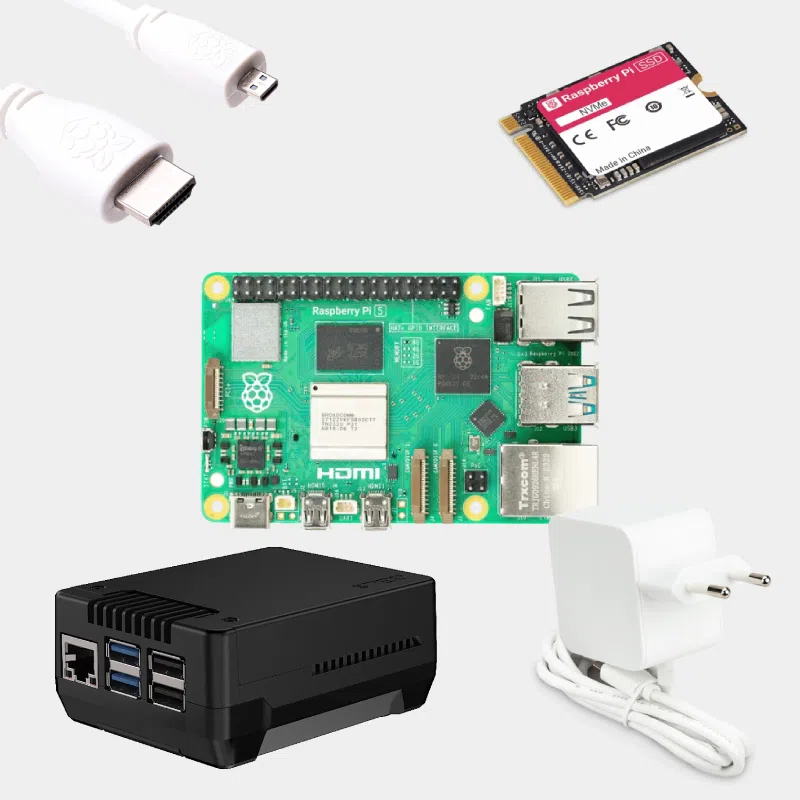
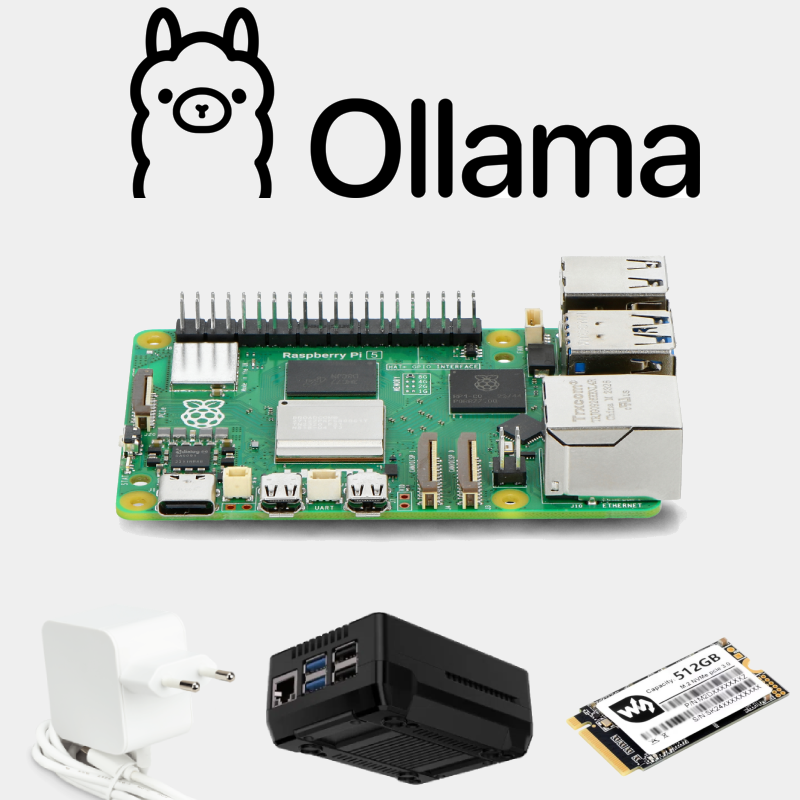
Built around a Raspberry Pi 5 16GB Paired with a Waveshare 512 GB NVMe SSD, the kit comes ready to plug in with Ollama installed via Docker, two preloaded models (gemma3:1b and llama3.2:3b), and the web interface Open WebUI accessible from any device on your local network. Plug in the power supply, open your browser, and chat with your AI in under 60 seconds, just like ChatGPT, but 100% at home.
Why a private ChatGPT on Raspberry Pi?
- Total privacy - your prompts never leave your local network
- Native GDPR compliance - no data sent to OpenAI, Anthropic or Google
- No subscription - unlike ChatGPT Plus (~€22/month) or Claude Pro (~€22/month)
- No token limits or quotas - chat as much as you want
- Works offline - no internet connection required once installed
- Reuse of business data without risking a leak to a third-party service
- Ideal for understanding AI from the inside: models, prompts, parameters, RAG…
- Low power consumption - ~7 W at idle, far less than a dedicated PC
Technical specifications
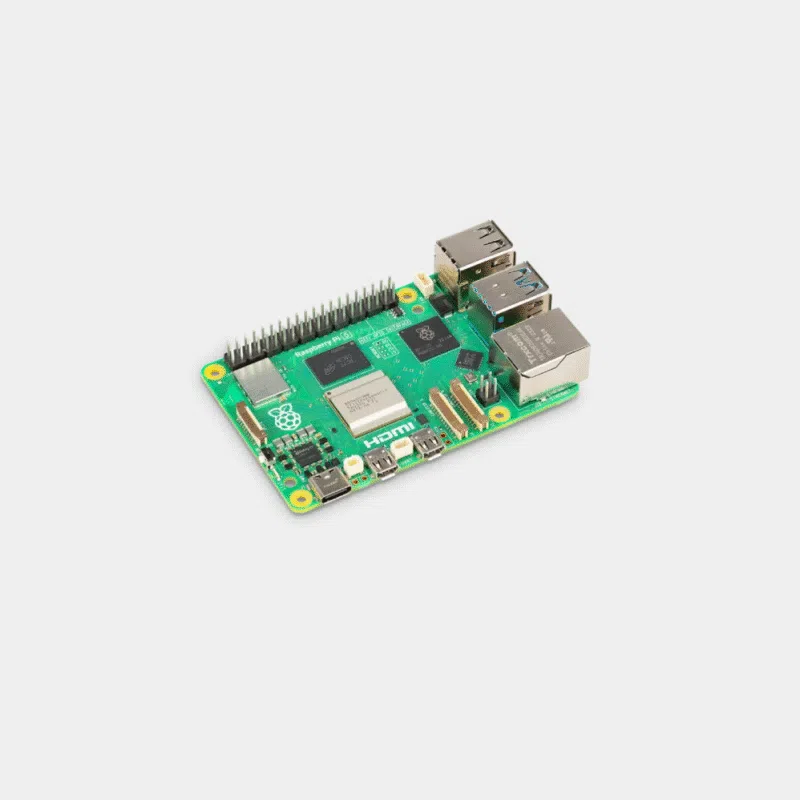
- Board: Raspberry Pi 5 16GB official (BCM2712 quad-core Cortex-A76 @ 2.4 GHz)
- Storage : Waveshare 512 GB NVMe SSD (PCIe Gen 3)
- Case: Argon NEO 5 + NVMe extension (premium passive cooling, ideal for continuous AI workloads)
- Power supply : official 45 W USB-C power supply
- Connectivity : Gigabit Ethernet + dual-band 5 GHz Wi-Fi
- Display (setup): 1 m Micro-HDMI to HDMI cable included
- OS: Raspberry Pi OS Lite 64-bit, FR locale, AZERTY keyboard, Europe/Paris time zone
- Hostname: ollama-pi (or local IP)
- Capacity: 1 to 2 simultaneous users (depending on the model used)
Preinstalled software stack
- Docker + Native Ollama (latest stable version)
- Open WebUI (ChatGPT-like interface accessible via http://ip:3000)
- Preloaded models:
- gemma3:1b (Google, 1 billion parameters) - ultra-fast, ideal for Q&A, summaries, searches
- llama3.2:3b (Meta, 3 billion parameters) - more accurate, ideal for writing, reasoning, light coding
- systemd service ollama.service - automatic start at boot
- Persistent Open WebUI in Docker - automatic restart after a crash
- Ollama API exposed on port 11434 (compatible with n8n, Home Assistant, Python scripts…)
- System updates applied
- SSH enabled (port 22, password to be changed at first login)
Open WebUI: ChatGPT-like, but at home
Once the kit is plugged in, point your browser to http://ollama-pi:3000 (or the Pi's IP) from any device on your network (PC, Mac, smartphone, tablet). You get an interface almost identical to ChatGPT's :
- Multiple chats with persistent history
- Model selection in one click (gemma3:1b or llama3.2:3b)
- Custom system prompts and creation of “personas”
- Multi-user with authentication
- RAG (Retrieval-Augmented Generation) - upload your PDFs, documents and websites to query your document base
- Markdown, code highlighting, copy/paste just like ChatGPT
- Mobile-friendly - works perfectly on smartphones
Preloaded models: what do they do?
🚀 gemma3:1b: the fast one
- 1 billion parameters, an ultra-lightweight Google model
- Response speed : very fast on Raspberry Pi 5
- Ideal for: short questions, summaries, translation, autocomplete, integration into scripts
- Typical use cases: Home Assistant assistant, email sorting, automation scripts
🧠 llama3.2:3b: the all-rounder
- 3 billion parameters, a highly regarded Meta model
- Response speed : satisfactory on Pi 5 16GB (~5-15 tokens/s depending on the request)
- Ideal for: writing emails and notes, reasoning, simple code, long conversations
- Typical use cases: everyday writing, brainstorming, augmented note-taking, RAG on your documents
At any time you can install other models from the Ollama catalog (ollama pull mistral, ollama pull phi3, ollama pull qwen2.5, etc.).
Professional use cases (sensitive data)
- Law firms - case file analysis, letter drafts without sending anything to the cloud
- Medical professions - help writing reports, GDPR compliance
- Accounting firms / HR - processing payroll data risk-free
- Journalists & investigators - analysis of sensitive sources without leaving a trace in the cloud
- Academic research - handling non-public datasets
- Companies subject to NIS2 / DORA - European digital sovereignty
- Consulting firms - brainstorming on confidential assignments
- Authors & publishers - writing without feeding third-party training datasets
Enthusiast & maker use cases
- Understand generative AI in practice, without paying for a cloud GPU
- Experiment with prompt engineering with no token limits
- Integrate AI into Home Assistant via the Ollama API (port 11434)
- Automate workflows via n8n / Node-RED + local Ollama
- Build your own document RAG (PDF, Markdown, websites)
- Code assistant for your Python / Bash scripts in VS Code
- Educational projects with AI students
Setup in 60 seconds
- Take the preinstalled Raspberry Pi 5 out of the box
- Plug in the45 W power supplythe HDMI cable and the Ethernet cable to your router
- Power on: Ollama and Open WebUI start automatically
- Note thelocal IP shown on screen
- On any device on the network, open http://<ip>:3000
- Create your admin account and start chatting with your private AI!
Ollama API: connect it to your tools
Port 11434 (Ollama API) is exposed on your local network. This lets you connect your local AI to:
- Home Assistant (native “Ollama” integration since 2024)
- n8n and Node-RED for AI workflows
- Continue.dev or Cody in VS Code for coding assistance
- Your own Python scripts (
requests,ollama-python) - Obsidian with the Ollama plugin (augmented notes)
- Logseq, AppFlowy, Joplin and other compatible tools
Realistic performance: what to expect?
The Raspberry Pi 5 16GB is not an NVIDIA H100 GPU. Let's be clear:
- gemma3:1b: very fast, instant for simple tasks
- llama3.2:3b: ~5 to 15 tokens/second depending on the prompts (human reading speed)
- 7B models: possible but slow (~1-3 tokens/s)
- 1 to 2 simultaneous users recommended (a 3rd simultaneous request is queued)
It is perfect for individual or small-team use, as a replacement for a personal ChatGPT/Claude subscription. For business use with many simultaneous users or for 13B+ models, you will need a dedicated GPU server.
Box contents
- 1x Raspberry Pi 5 16GB preinstalled in an Argon NEO 5 case
- 1x Waveshare 512 GB NVMe SSD (OS + Ollama + 2 preloaded models)
- 1x Official 45 W USB-C power supply
- 1x 1 m Micro-HDMI to HDMI cable
- MonRaspberry support included
Frequently asked questions (FAQ)
Is it really 100% private?
Yes. No data is sent to any third-party service. Everything (prompts, answers, history, RAG documents) stays on your Raspberry Pi's NVMe SSD, accessible only on your local network. You can even disconnect it from the internet: Ollama keeps working.
What is the difference from ChatGPT or Claude?
ChatGPT and Claude are proprietary cloud services with very powerful models (GPT-4, Claude Opus), but they require sending your data to OpenAI / Anthropic. The Ollama Kit gives you a service that is less powerful but 100% local and private, with open source models such as Llama, Gemma, Mistral and Qwen.
Can I install models other than the ones provided?
Yes, absolutely. Connect via SSH and run, for example, ollama pull mistral:7b, ollama pull phi3:mini, ollama pull qwen2.5:3b. The full catalog is at ollama.com/library. You have 512 GB of NVMe storage for dozens of models.
How many people can use it at the same time?
For short prompts with gemma3:1b, several users can chat in parallel. For long generations with llama3.2:3b, count on 1 to 2 simultaneous users with optimal comfort; beyond that, requests are queued.
Do I need an internet connection to use it?
No, once the kit is installed and the models are preloaded. You can disconnect it from the internet and keep chatting with your private AI: useful for 100% offline use (travel, field work, maximum security).
Can I connect it to Home Assistant?
Yes, the Ollama API is exposed on port 11434. Home Assistant's official “Ollama” integration lets you use it for local voice assistants, AI-augmented automations or a conversational home automation agent.
Is it GDPR compliant for my client data?
The Ollama Kit is fully GDPR compatible because no data is transferred to an uncontrolled processor. It is even one of the only ways to use an LLM in a professional setting handling sensitive data without risking a leak or non-compliance (lawyers, doctors, HR, legal).
Is there a subscription?
None. One-time payment, AI for life. Electricity cost of about €10 per year running 24/7, compared with ~€265/year for a ChatGPT Plus subscription.
Is the kit upgradable?
Yes. At any time you can install new models, connect an external drive, add a Hailo AI HAT+ GPU (Pi 5 compatible) to speed up certain inferences, or add other tools (RAG, agents, light fine-tuning).
In the same category...