
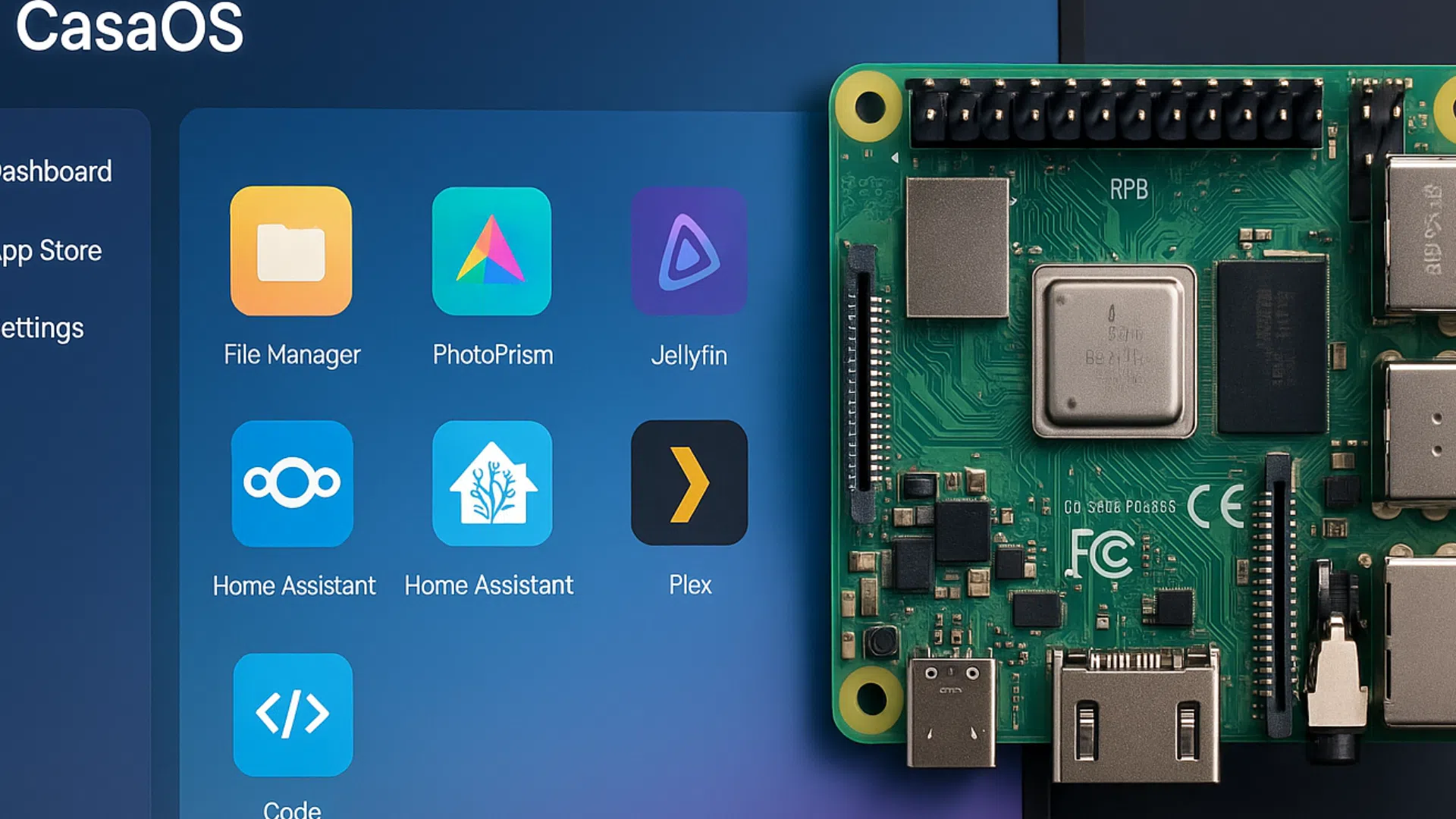
CasaOS on Raspberry Pi: the next-generation personal cloud
Introduction
With the rise of the cloud and services hosted by the web giants, more and more users are looking for the best possible solutions. free and local alternatives. The Raspberry Pi, a small, versatile computer, has become a must-have for those who want to host their own services at home.
This is where CasaOSa modern, elegant platform that transforms any Raspberry Pi into a easy-to-use personal cloud. In contrast to complex solutions such as Nextcloud or OpenMediaVault, CasaOS relies on simplicity and user experience.
What is CasaOS?
CasaOS is a lightweight operating system designed to be installed on a mini-computer or home server. Its promise is clear: to enable everyone to build their own private cloud without in-depth technical knowledge.
CasaOS highlights :
- Modern, intuitive web interface.
- Application installation and management in just a few clicks (via Docker).
- Access files, photos, videos and applications from any device.
- Open source, free and supported by an active community.
In short, CasaOS aims to make self-hosting (personal hosting) as easy as using a smartphone.
Why use CasaOS on Raspberry Pi?
1. A free alternative to the cloud giants
Google Drive, iCloud, Dropbox... all these services are practical, but you lose control of your data. With CasaOS, everything is hosted at home, on your Raspberry Pi.
2. Ease of use
Unlike other solutions (Nextcloud, TrueNAS), CasaOS relies on a streamlined interface. The experience is more like a modern operating system than a technical dashboard.
3. Ideal for family use
CasaOS is designed for share simply photos, videos, documents, music. Every member of the family can have his or her own space, and everything in your home remains private.
4. Ecological and economical
A Raspberry Pi consumes very little energy compared with a PC or dedicated server. This makes it an ideal eco-responsible and affordable.
CasaOS flagship features
A modern interface
CasaOS offers a browser-based virtual officewith a layout similar to Windows or macOS. Installed applications appear as icons, making navigation very intuitive.
File management
You can upload, download and organize your files via a clear graphical interface. CasaOS can also be linked to other storage systems to centralize your data.
Docker applications in a click
CasaOS integrates a Home App Storebased on Docker. Some popular examples:
- Plex / Jellyfin (multimedia streaming).
- Nextcloud (file synchronization).
- Pi-hole (network ad blocker).
- Home Assistant (home automation).
- Transmission (torrent download).
Everything is installed with a single click, without the need for complex command lines.
Multi-device access
Whether you're on a smartphone, tablet or PC, your CasaOS-equipped Raspberry Pi can be accessed from any browser.
CasaOS vs. other solutions (Nextcloud, OpenMediaVault, TrueNAS)
| Features | CasaOS | Nextcloud | OpenMediaVault | TrueNAS |
|---|---|---|---|---|
| Simplicity | ⭐⭐⭐⭐ | ⭐⭐ | ⭐ | ⭐ |
| Modern interface | ⭐⭐⭐⭐ | ⭐⭐ | ⭐ | ⭐ |
| Third-party applications | ⭐⭐⭐⭐ | ⭐⭐⭐ | ⭐⭐ | ⭐⭐⭐ |
| Family use | ⭐⭐⭐⭐ | ⭐⭐⭐ | ⭐ | ⭐ |
| Performance on Pi | Excellent | Averages | Low | Low |
| Low |
👉 To put it plainly: CasaOS isn't the most technically complete solution, but it is by far the simplest and most user-friendly on Raspberry Pi.
Real-life use cases for CasaOS on Raspberry Pi
1. A personal cloud for your files
Replace Google Drive or Dropbox by storing all your documents on your Pi, with secure remote access.
2. An in-house media library
Install Jellyfin or Plex via CasaOS and turn your Raspberry Pi into a Personal Netflixaccessible on your TV or smartphone.
3. A family sharing center
Each member of the household can have his or her own account, with dedicated space and shared folders.
4. A hub for developers and makers
CasaOS lets you easily install development tools (Gitea, Portainer, etc.) to create a test mini-server at home.
The advantages and limitations of CasaOS
✅ Benefits
- Ultra-easy to use.
- Modern, responsive graphic interface.
- Works perfectly on Raspberry Pi 4 and 5.
- Wide range of applications available.
- Lightweight and resource-efficient.
❌ Limits
- Less comprehensive than Nextcloud for office functions.
- Highly dependent on Docker (which may limit certain applications).
- Still young compared with the self-hosting behemoths.
Conclusion
CasaOS on Raspberry Pi is the perfect illustration of this philosophy: regain control over your data without complicating your life.
Where other solutions require long hours of configuration and a certain amount of technical know-how, CasaOS relies on the simplicity and ease of use of its user interface. simplicity, ergonomics and speed.
Whether you are an individual looking to create a personal cloudWhether you're a family wanting to share memories in total security, or a tech enthusiast interested in exploring self-hosting, CasaOS is a modern, accessible and promising solution.
👉 In short, if you're looking for a compromise between freedom, simplicity and efficiencyCasaOS on Raspberry Pi clearly deserves a place in your connected home.
